Showing posts with label Coding. Show all posts

How To Get A NetSuite Developer Consultant

how to get a netsuite developer suitecommerce consultant

If you are new to NetSuite terminology or are starting to figure out how to improve your solution, it is a good idea to begin to understand the types of things certain roles do for your organization. There are two primary roles of support for an Oracle NetSuite ERP solution. One is a NetSuite developer and the other is a NetSuite consultant. Both play unique roles in optimizing your NetSuite performance and efficiency. There are a few other key roles including SuiteCommerce developers, but this article will primary focus on consultants and developers. 

If you are not working with a NetSuite partner and still using NetSuite services, I would highly recommend trying one out. They are typically cheaper, more responsive, and have more flexibility to get projects completed using solutions that are specific to your organization. 

What Is A NetSuite Developer? 

When working in your NetSuite environment, you will want to take a look at customization since it can allow the software to form around your business rather than the other way around. NetSuite developers write SuiteScript to help automate processes that workflows can’t accomplish. 

Functional NetSuite consultants can help build out other configuration pieces or workflows for you so that you only need to worry about your role entering specific data. 

What Does A NetSuite Consultant Do? 

A NetSuite consultant is classified as someone who knows more about business processes and how to configure all the NetSuite modules to make it work properly. The NetSuite consultant typically stays focused on helping clients identify ways to solve their pain points using native NetSuite processes. They might also work directly with a NetSuite developer to implement custom solutions that can’t be done using the user interface. 

These consultants are often called functional consultants. If they also know some scripting as well, they might be called a NetSuite techno functional consultant. Techno Functional Consultants that have a good understanding of solution designing and business process often become a NetSuite architect. These solution architects understand the ins and outs of NetSuite to be able to take any business problem and build a unique solution that solves it. 

Where To Find NetSuite Apps Or Pre Built Features? 

There are some new initiatives by SuiteMarkets which is a 3rd party app platform that allows you to purchase SuiteCommerce and NetSuite ERP apps / features. It’s a great way to find existing solutions for NetSuite ERP or SuiteCommerce. It’s something to keep in mind as the platform continues to grow and more features get listed. Since it is free to list solutions, there are more smaller applications being listed such as order tracking, blogs, custom themes, customer center add-ons, in addition to software companies. 

There is also NetSuite’s app platform which is primarily used to inform NetSuite customers of software that integrates into the platform. Shopify has something similar including applications that help them integrate into the NetSuite platform. More and more customers are utilizing NetSuite as an ecommerce platform in additional to its reporting, warehouse management, HR, and other ERP features. This expands beyond your traditional ecommerce website and includes integrations to popular ecommerce solutions including Amazon, eBay, and Overstock. 

Tips About NetSuite Ecommerce? 

If you have NetSuite or are planning to get NetSuite as your ERP, stay up to date with the latest SuiteCommerce features to see how it best fits into your business modal. If you want to get SuiteCommerce Standard to save more on your monthly licensing, then make sure to chat with a SuiteCommerce developer to help identify any areas that you may need SuiteCommerce Advanced in the future. Spending a little time and money identifying where SuiteCommerce Standard may be the better fit will help you cut costs and position yourself for the seamless upgrade to SuiteCommerce Advanced when you are ready. 

If you are not quite convinced, check out this ecommerce comparison by Ecommerce Reviews, it compares both Shopify Plus and SuiteCommerce Advanced. 

Ideally, you will be implementing SuiteCommerce at the same time as NetSuite ERP. However, certain elements of NetSuite ERP is required to be set up prior to starting the implementation for SuiteCommerce. You will need some basics like your item data in place. These items should have all the data you plan to have on the ecommerce website including any images, pricing, descriptions, and characteristics to filter by such as your item color. There are some companies like Business Health Options that are planning to implement NetSuite ERP first followed by SuiteCommerce six months later. This is because it is a startup that is still working out internal business processes and isn’t quite ready for any ecommerce solution for a period of time. ​

Having all your data managed in one place makes everyone's lives easier which is one reason why companies frequently choose SCA over other platforms since all the images, marketing data, files, and supporting data already lives in NetSuite. 

Caleb Schmitz is a NetSuite developer and SuiteCommerce Specialist at Anchor Group. Anchor Group is a NetSuite implementation partner that focuses specifically on NetSuite training and NetSuite’s SuiteCommerce. Caleb started his ERP career in SAP and transitioned into Oracle NetSuite solutions after a couple years. He received his bachelors in Mechanical engineering, worked as a production supervisor, finished his MBA in management, implemented SAP to 3 business branches, and finally moved into NetSuite development.


Advantages Of Flutter Development

advantages of flutter development

Flutter is a popular open-source framework for mobile app development that has gained significant popularity in recent years. At Kambda, we utilize the advantages of Flutter to create high-quality and engaging mobile apps for our clients. The framework offers a range of benefits to developers and businesses, making it an excellent choice for mobile app development. In this article, we will explore the key advantages of working with Flutter development at Kambda. 

7 Top Advantages Of Flutter Development

1. Cross-Platform Development

One of the biggest advantages of Flutter is its ability to develop apps for both iOS and Android platforms. At Kambda, we take full advantage of this feature, enabling us to create apps that are compatible with both platforms, saving time and resources for our clients. 

2. Fast Development Time

Flutter has a fast development cycle, allowing us to quickly iterate and refine our clients' apps. The hot reload feature enables us to see changes in real-time, making the development process more efficient and allowing us to deliver high- quality apps in a timely manner. Time is money after all!

3. Customizable Widgets

Flutter offers a wide range of customizable widgets that can be easily integrated into our clients' apps. This allows us to create custom interfaces that are tailored to our clients' needs and provides a consistent user experience across all platforms. 

4. High Performance 

Flutter is known for its high performance, with apps running smoothly and quickly even on lower-end devices. At Kambda, we utilize this feature to deliver high-quality apps that perform well on all devices. 

5. Large Community

Flutter has a large and active community of developers, providing a wealth of support and resources to those who are working with the framework. At Kambda, we are part of this community, giving us access to the latest resources and information to help us deliver the best results for our clients. 

6. Open-Source

Flutter is an open-source framework, meaning that we can access the source code, contribute to it, and use it for free. This makes it an accessible and cost-effective option for businesses of all sizes, and we are proud to offer our clients this advantage at Kambda. 

7. Integrated Development Environment (IDE) 

Flutter works seamlessly with popular IDEs, including Android Studio and Visual Studio Code, providing us with a powerful and intuitive development environment. At Kambda, we utilize this feature to ensure that our development process is streamlined and efficient. 

Final Thoughts On Flutter Development

In conclusion, Flutter offers a range of advantages to developers and businesses, and at Kambda, we utilize these benefits to create high- quality and engaging mobile apps for our clients. From its ability to develop apps for both iOS and Android platforms, to its fast development time and customizable widgets, Flutter has something to offer everyone, and we are proud to be part of this exciting framework.

Microservices Tutorial: What Is It and How Does It Work?

microservices tutorial microservice architecture business mobile applications

Did you know that almost 50 percent of businesses with more than 50 employees have their own app? Whether you have that many employees or you’re still in the single digits, you might want an app.

There are plenty of benefits to having a customized app. An internal business app supports your business processes. A customer-facing app delivers a seamless digital experience.

One question to ask is how you want to build your app. If you’re thinking about Agile or DevOps, then microservices might be a consideration.

Not sure what those words mean? This microservices tutorial has everything you need to know.


Microservices Tutorial Basics

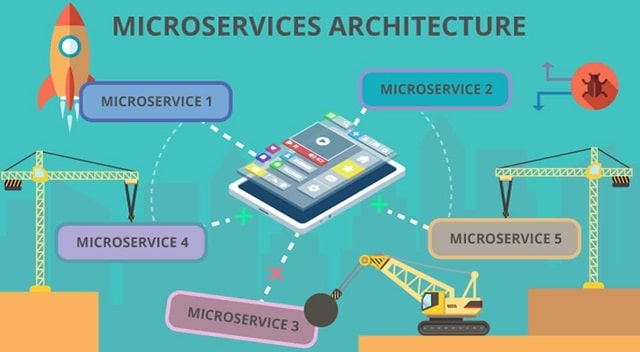
So, what are microservices anyway? Microservice is a type of application architecture, which informs app construction. You can think of it as the blueprint for your app.

Microservice architecture takes a modular approach to building an app. Instead of a monolithic program, a microservice approach builds each app service separately.

At the end of the process, you have a suite of services. Each service can function independently. They’re often connected through application programming interfaces, or APIs.

APIs keep the system functioning to deliver a single, streamlined experience. Behind the scenes, the separate services continue to work on their own.


The Agile Approach

Many organizations are interested in Agile and DevOps approaches to app development. In effect, these frameworks help you meet today’s demanding market.

Your applications must be ready to scale, because you never know when your app will go viral. You must also be able to deliver upgrades seamlessly. Downtime must be avoided at all costs.

Microservices can help you achieve these objectives.


What Are the Benefits?

Many tech giants have switched from using monolithic platforms to microservice architecture.

If innovative tech companies use microservices, you know there has to be benefits. So how does switching to microservices help your business?

Microservices can help you:

  • Scale up
  • Avoid downtime
  • Improve programs

A small change to one part of a monolithic platform could mean reprogramming the whole thing. If one part of the system goes down, it could take the entire thing with it.

The modular nature of microservices avoid these drawbacks. If you have more chat users, you can scale your chat app without affecting any other service. It’s easy to tweak one service, while others continue to function.

Microservices architecture also allows your developers to work in smaller teams. Since each team is working on a separate, independent component, they won’t slow each other down. Teams can complete new components and updates much faster.

The ability of developer teams to work faster also changes the lifecycle of your app. Instead of monolithic roll outs every now and then, it’s easy to deliver on a continuous basis.

Continuous development allows you to avoid locking in your technology. You can update to a new language or adapt to a new platform.

Finally, services can be shared across the business. A login system service can be used in several different apps and departments.


Micro Thinking for Big App Dreams

After taking this microservices tutorial, you might be convinced microservice is the best way to meet your app needs.

Wondering what other technology you can use to give your business a boost? We have all the latest trends and technology news.

All About Selenium Authentication With Microsoft Azure

selenium authentication microsoft azure

Selenium 

Selenium is open-source automated testing which is used for web applications across many platforms and browsers. It is also very much similar to Unified Functional Testing. Selenium does web-application automation whereas testing can be done by using selenium tool which is known as Selenium testing. Selenium has four components: 

- Selenium Remote Control (RC) 
- Selenium Grid 
- Selenium Integrated Development Environment (IDE) 
- WebDriver 

Selenium Remote Control (RC) 

Selenium Remote Control is used to write automated web application against Hyper Text Transfer protocol website with JavaScript. Selenium Remote Control comes in two parts: 

1. Client libraries 
2. The server which kills browsers 

Selenium Grid 

The part of Selenium suite that runs many tests across different operating systems, browsers and machines is called as Selenium Grid. In the Selenium Grid, a hub node can be used to run the whole test on a single machine with a hub. 

Selenium Integrated Development Environment (IDE) 

Selenium Integrated Development Environment is used to develop the test cases. It is very much easy to use Firefox and Chrome extension. The users' action can be recorded by using the commands of Selenium along with the parameters of each element. 

WebDriver 

WebDriver is nothing but a Web Automation Framework (WAF) which allows executing various browsers. The main advantage of WebDriver is it enables programming languages to use in creating scripts for the test. The WebDriver can support PHP, .Net, Perl, Java and Ruby languages. 

Origin Of Selenium 

As we know Selenium is a collection of many tools, so obviously it has many developers as well. In the year 2004, Selenium was invented by Jason Huggins. He estimated to work on the web application frequent testing. After that, he created a JavaScript program because of the repetitive manual testing required. He thought that idea is very potential, later he made JavaScriptRunner which is now called as Selenium Core in 2023. 

Microsoft Azure 

The ever-expanding cloud services set that help the organization to meet the business goals is known as Microsoft Azure. It is the freedom to manage, build, and deploy the applications hugely by using frameworks and tools. MS Azure provides a massive range of cloud services including analytics, computing, networking, and storage. Users can select from these services to run existing applications, develop new applications in the public cloud. The advantages of these services can be learned through Azure certification. 

Products And Services of MS Azure 

In the year 2018, Microsoft differentiates Azure cloud services as 18 product types: 

Web

These services can be used to deploy and develop web applications. These can offer features of content delivery, report notification, and application programming interface (API). 

Analytics 

This service can provide storage, distributed analytics, big data analytics, features of machine learning, Internet of Things (IoT), data warehousing, data lakes, business intelligence, and data streams. 

Content Delivery Network (CDN) 

These services include digital rights protection, media playback indexing, on-demand streaming, and encoding. 

Identity And Access Management (IAM) 

This service ensures only authorized users should access. It helps in sensitive information and protects encryption keys in the cloud. These services can include multi-factor authentication (MFA) and Azure Active Directory. 

Development 

The development services can be used to share codes, track potential issues, and test applications. Including Python, Node.js, Javascript, .NET Azure can support many other programming languages. The tools in this section also include software development kits, Visual studio, and blockchain. 

Machine Learning (ML) & Artificial Intelligence (AI) 

This is a very vast range of service that can be used to infuse artificial intelligence, machine learning and capabilities of cognitive computing into data sets and applications. 

Databases 

This service includes offerings of Database as a Service (DBaaS) for NoSQL and SQL, as well as some other databases like PostgreSQL, and Cosmos DB. It can also include caching, Warehouse support and database integration. 

Migration 

This service is very much useful for the organization in estimating workload cost and it’s a performance from data centres to the cloud. 

Management 

These services can provide a range of recovery, automation, monitoring, backup, compliance, and schedule that helps in managing the Azure deployment. 

Compute 

It can allow the user to manage and deploy the virtual machines (VMs), batch processing and supports the access of the remote application. 

Data Storage 

The scalable cloud storage can be provided for the unstructured and structured data by using this data storage service. It can also support persistent storage, big data projects, and archival storage. 

Networking 

Networking includes dedicated connections, virtual networks, and gateways, as well as services for diagnostics, domain name system, load balancing and network protection against DDoS attacks. 

Hybrid Integration 

These are services for site recovery, server backup and connecting both public and private clouds. 

Internet Of Things (IoT) 

This service is very much helpful for the users in monitoring, capturing and analyzing Internet of Things data from sensors. Services include analytics, notifications, coding, and monitoring. 

Security

This service provides the capabilities to respond and identify cloud security threats and can manage encryption keys. 

Containers 

It is useful for an enterprise to register, create, manage, and orchestrate huge container volumes in the Azure cloud by using Kubernetes and Docker. 

DevOps 

This service provides collaboration and protects tools such as DevOps software development and Visual Studio Team Services. It can also offer features for DevOps tool integration, application diagnostics, and test labs. 

Mobile 

These products provide notification services, mobile devices applications, building APIs, and back-end tasks with data. 

Automation Tests using Selenium and Microsoft Azure DevOps: 

There are seven steps for creating a test script of Selenium. 

- Webdriver instance creation 
- Web page navigation 
- Locating HTML on the web page 
- Performing HTML element action 
- Anticipating the response of the browser to the action 
- Running and testing the results of a test 
- Concluding the test 

The following are the solutions for Azure DevOps automation testing: 

- Configuring the tests cyclings of automation by using Azure DevOps 
- Execute and schedule the REST API and Web UI on the cloud 
- Distributing the applications to the testers of beta with the Azure app Center 
- Testing the report results and logging with App Center 
- Azure SQL service support data persistence 
- PowerBI Embedded integration for analytics and reporting 
- By using Azure DevOps building test report of source code 
- Building test plans in case management 
- Concurrent execution 
- Automation testing ability in a short of time with the control over expenses.

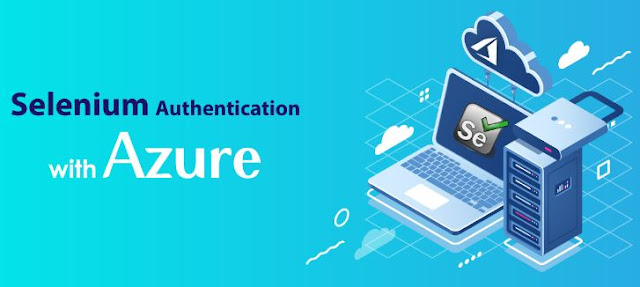
To automate the authentication, the user always uses Selenium scripts. It is appearing with OAuth but still looks difficult. Instead of using the test URL, many users redirecting to the URL of the Microsoft.com login screen. The only problem is the entire URL is unique. 

Final Thoughts On Selenium Authentication With MS Azure

Selenium has a great compatibility platform like Mac OS, Windows, Linux, etc. Selenium is mainly designed to encourage web-based applications functional automation testing with a wide range of platforms and browsers. It is considered as the most accepting tool in automation testing. It is a package of several tools. That is why Selenium is known as a suite. MS Azure can support more than 50 coding languages for the development purpose. The packaging and deployment are very easy in Microsoft Azure. Integrating the various coding languages is easy. This is how Selenium authenticates with Azure.

New Frugal Finance Blog Posts & Articles